How to Write Clear Menu Descriptions for Plate Sales
Write accurate plate-sale menu descriptions with clear inclusions, choices, prices, claims, allergen information, and a repeatable publishing check.
A menu description can sound appealing and still leave basic questions: How many pieces are included? Which sides come with the plate? Is the sauce included or an add-on? Every unanswered question becomes a message to answer, a packing mistake to prevent, or a disappointed customer at pickup.
This guide will help you turn one tested sale portion into a clear customer-facing listing. You will define the item, separate included food from optional choices, remove claims you cannot support, connect allergen information to the current recipe, and publish one controlled version across your order channels.
A description does not make a food or home kitchen legal to sell. Confirm current food, menu, labeling, allergen, consumer-advisory, pricing, tax, and home-operation requirements with the authorities that regulate your product and location before you publish.
Start with the plate you will actually sell
Write from a finished sale portion, not a recipe idea. Assemble the main item, sides, garnish, sauce, and packaging exactly as a paid customer should receive them. If a choice changes what is packed, place both versions in front of you before deciding whether they belong under one listing.
The FTC tells small businesses that advertising must be truthful and non-deceptive, and that both statements and material omissions can affect the buying decision. Its digital-advertising guidance adds that the overall impression includes the words, product name, and depictions. In practical terms, the photo, title, price, and description must tell the same story.
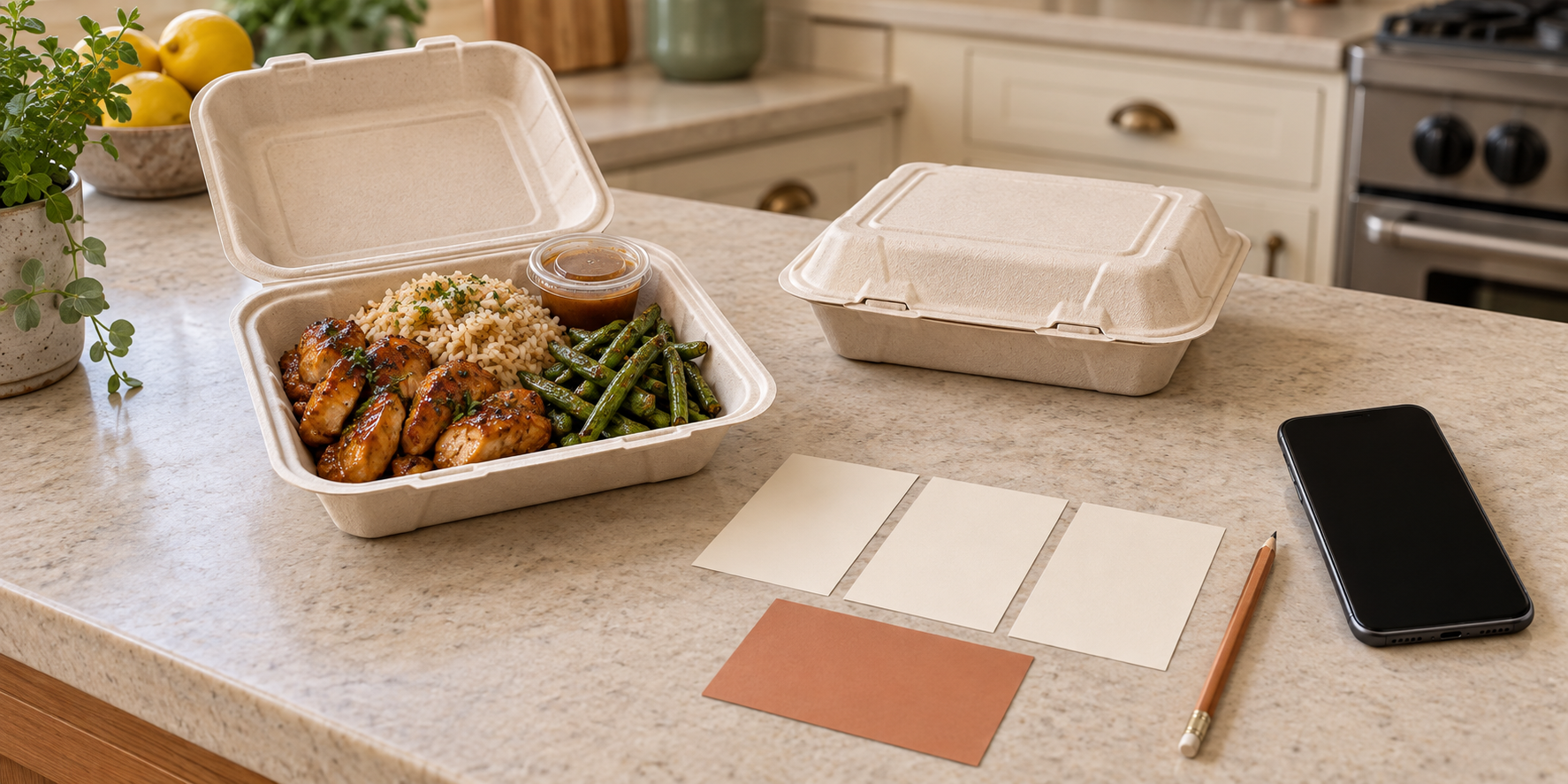
Build the plate from your standardized recipe and verified portion. Then compare the finished meal with the image produced by your repeatable food-photo setup. If the image shows two pieces of chicken, rice, green beans, and sauce, but the description leaves out the sauce or the sold plate has only one piece, fix the offer before polishing the copy.
Create a short source record for the listing:
- item and internal recipe version;
- verified portion or piece count;
- included sides and sauces;
- approved substitutions or add-ons;
- current supplier labels used for ingredient and allergen review;
- sale date, order cutoff, and fulfillment method;
- person who approved the final listing.
The description is a customer-friendly view of this factual base.
Name the item in plain customer language
Start with the words a customer would use to identify the food, then add one useful preparation or flavor detail. “Honey-garlic chicken plate” is more informative than “Chef’s special.” “Braised beef with rice and cabbage” does more work than a creative name that hides the main item.
Keep your internal shorthand separate when it could confuse buyers. Square’s current menu documentation distinguishes buyer-facing menus from internal reporting and kitchen-routing categories, and it lets item details carry descriptions, dietary preferences, and allergen information. Your kitchen might call an item CHX-02, but the customer should see a name that explains what they are buying.
Use the same customer-facing name in the social post, order form, payment item, ticket, and confirmation. A business name identifies the seller; an item name identifies the meal. If the business identity is still unsettled, finish the business-name screening workflow before building permanent menu templates around it.
List the included food before adding adjectives
The first sentence should answer what comes in the paid base item. Use concrete nouns and preparation details that help the customer recognize the plate:
Honey-garlic chicken plate with seasoned rice, roasted green beans, and one sealed sauce cup.
That sentence identifies the main, both sides, and sauce. It does not need a stack of vague adjectives such as “mouthwatering,” “premium,” or “perfect.” Add useful sensory detail only when it belongs to the tested recipe: crisp slaw, slow-braised beef, lemon-herb rice, or a mild roasted-pepper sauce.
State a count or size when it is part of the offer and you can fulfill it consistently. “Two chicken thighs” is clearer than “generous chicken.” A verified weight can be useful for an item genuinely sold by weight, but do not invent precision that your portioning process does not control.
Keep the base description aligned with the price built from food, packaging, labor, overhead, and profit. The description explains the unit the price buys; the pricing record explains whether selling that unit works for the business.
Turn choices into controlled fields
Do not bury every possible request in a paragraph. Separate the fixed plate from the choices a customer is allowed to make. For example:
| Part of the offer | Customer sees | Kitchen record receives |
|---|---|---|
| Base plate | Chicken, rice, green beans, sauce | One defined production item |
| Side choice | Choose rice or macaroni | One required side field |
| Add-on | Extra sauce: additional charge | One countable paid modifier |
| Unavailable request | No substitutions beyond listed choices | No open-ended note to interpret |
Square describes modifiers as controlled options such as toppings or add-ons that can carry selection limits and appear on tickets and receipts. Even if you use a paper form, copy that logic: make required choices required, cap quantities, and give each approved option one consistent name.
If a choice changes the price, show the added amount beside that choice before payment. If it changes ingredients or allergens, route the new version through the same recipe and label review as the base plate. A casual “swap anything” promise creates an item the kitchen has not costed, scheduled, or assessed.
Put price and fulfillment facts beside the item
The description should stay focused on the food, but the listing must also state the price, ordering method, cutoff, sale date, and pickup or delivery terms. Keep those facts together instead of assuming the customer saw an earlier story.
The FTC’s small-business advertising guide says a qualifying disclosure should use clear language and sit close to the claim it qualifies. Do not headline a base price and hide a required charge or material limit in a later message. Confirm the pricing and fee rules that apply in the states and localities where you sell.
Keep fulfillment details concise, then send paid orders into your preorder workflow with capacity limits, payment states, and pickup windows.
Remove claims the kitchen cannot prove
Read every adjective as a possible promise. Words such as “healthy,” “all natural,” “low sodium,” “sugar-free,” “locally sourced,” “fresh,” “allergen-free,” and “best” can imply facts beyond flavor. Delete them unless you have confirmed the applicable rule and can support the complete impression they create.
For example, FDA’s current information on the voluntary “healthy” nutrient-content claim explains that foods must meet defined food-group and nutrient criteria to use that claim in covered labeling. The exact requirements and exemptions for your food and sales setting need a regulator-informed review; “healthy” is not a casual synonym for “contains vegetables.”
Do not rely on a footnote to rescue an overstated headline. FTC digital guidance says a disclosure may qualify a claim, but it cannot cure a false one. Rewrite “allergen-free healthy meal” as an accurate description of the actual components and use the allergen process required for your operation.
Treat allergen and safety notices as controlled information
Do not copy an old allergen line from a previous menu. Review the current standardized recipe, every component, and the current supplier labels. A sauce, seasoning blend, breading, garnish, or substituted brand can change the information customers need.
FDA’s March 2025 food-allergen guidance FAQ reflects updated interpretations for major allergen categories, including sesame and specific tree nuts. That is another reason to verify current information rather than use a permanent template from memory.
The 2026 FDA Food Code is a model for retail food regulation, not automatically the law everywhere. It includes written consumer notification of major allergens in unpackaged food and specific disclosure and reminder provisions for covered raw or undercooked animal foods. Your state, tribal, territorial, or local authority may adopt, change, or add requirements. Ask what written information your operation must provide, where it must appear, and whether your product needs a consumer advisory before offering it.
A menu notice also does not make a shared kitchen allergen-free. Send individual requests through the food-allergy order accept-or-decline process and decline what the kitchen cannot verify or control.
Publish one controlled version
Keep one approved item record, then copy from it into each live channel. Google’s Business Profile menu editor supports item names, descriptions, and prices and recommends reviewing generated menu information before publication. Google also notes that outdated or inaccurate menu sources may need correction.
After publishing, open the public view on a phone and compare it with the approved record. Check the social caption, ordering page, payment item, Google menu, and confirmation. Look for cropped text, an old price, a missing side, a modifier that disappeared, or a stale photo. Mark the version and sale date so you know which live copies to retire when the recipe or price changes.
Run a five-order comprehension test
Before opening a full menu drop, ask one person who did not write the listing to place five fictional orders using only the public view. Make the five orders cover the base plate, each approved side, an add-on, and one unavailable request.
Then check whether that person can answer:
- What food and quantity are included in the base price?
- Which choices are required, optional, or unavailable?
- What adds to the price?
- When do orders close, and how is the meal fulfilled?
- Where is the applicable ingredient or allergen information?
- Does the order record tell the kitchen exactly what to pack?
Any question that requires private explanation is a reason to revise the listing or the order fields. Run the test again after a recipe, supplier, price, portion, photo, or fulfillment change.
Start with one item. Assemble the real plate, write the description, control the choices, verify claims and required notices, and compare every live channel with the approved record. Once it produces five unambiguous test orders, connect it to a manageable sale day. The Selling Plates guide can place that clear offer inside a broader menu, pricing, ordering, and launch plan.
Ready to move?
Turn the research phase into your first sale.
The guide brings pricing, menu planning, marketing, and setup into one clear playbook.
Get the guide on Gumroad